Back to Blogs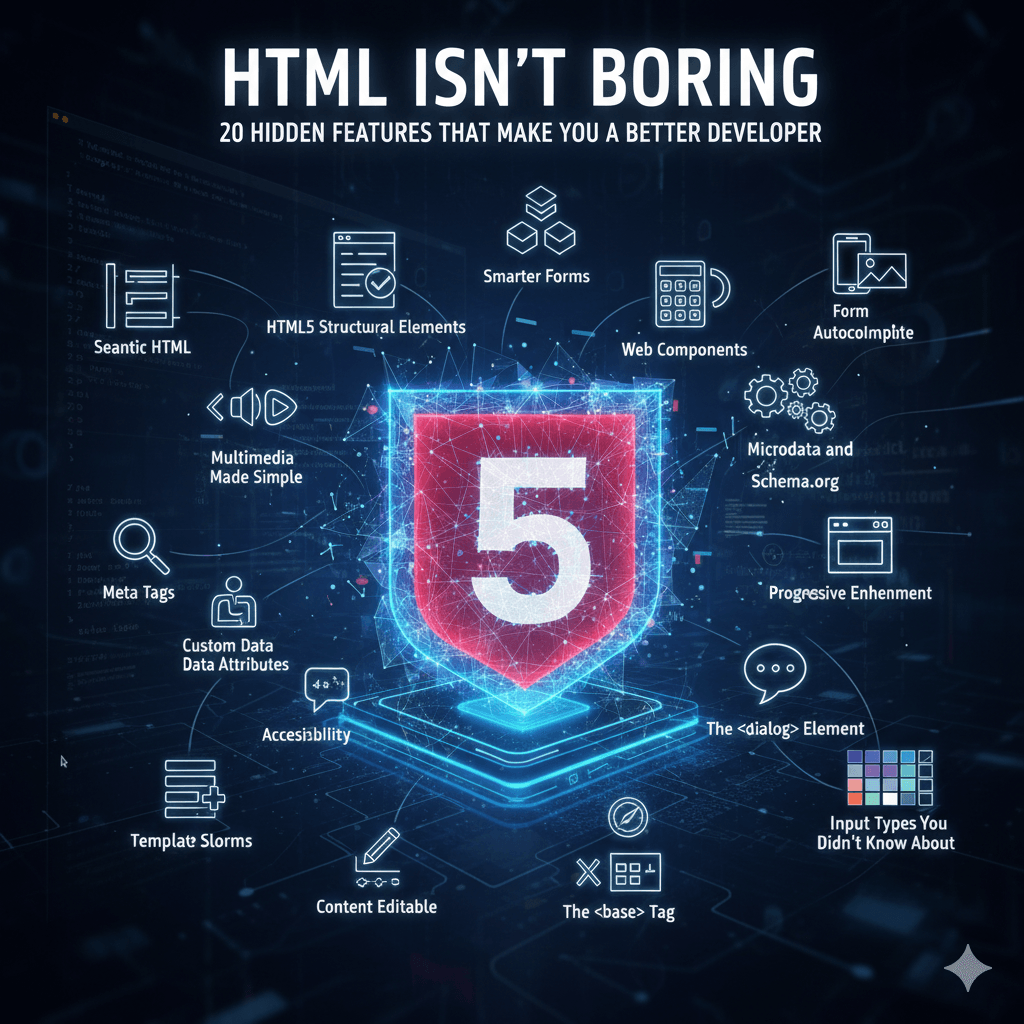
January 2, 2025
HTML Isn’t Boring: 20 Hidden Features That Make You a Better Developer
HTML isn’t just markup — it’s a powerful language filled with hidden gems that can make you a smarter and more efficient frontend developer. From semantic tags and templates to accessibility and lazy loading, discover 20 HTML features that will level up your coding skills.
HTML — the backbone of every website — often gets underestimated. Many developers rush past it, eager to dive into JavaScript frameworks or fancy CSS tricks. But here’s the truth: **knowing HTML deeply can make you a far stronger frontend developer**.
From accessibility and SEO to performance and structure, HTML hides a lot of power beneath its simplicity. Let’s uncover 20 features and concepts that can help you write cleaner, faster, and smarter web pages.
---
## 🧩 1. Semantic HTML
Tags like `<header>`, `<main>`, `<section>`, and `<article>` give meaning to your content. Search engines love it, screen readers understand it, and your layout becomes cleaner than a sea of `<div>`s.
---
## 🧱 2. HTML5 Structural Elements
With HTML5, layout building got a huge upgrade — elements like `<nav>`, `<aside>`, and `<figure>` organize your content naturally, improving both readability and SEO.
---
## 🧾 3. The Power of Meta Tags
Meta tags control how your page behaves and appears in search results or social shares. Proper use of `<meta>` can improve performance, responsiveness, and visibility.
---
## 🧠 4. Smarter Forms
Modern HTML forms support features like `required`, `pattern`, `autofocus`, and `autocomplete`. These make validation easier without writing a single line of JavaScript.
---
## 🎧 5. Multimedia Made Simple
The `<audio>` and `<video>` tags let you embed media directly — complete with controls and captions — no external plugins required.
---
## ⚙️ 6. Custom Data Attributes (`data-*`)
Need to store small bits of extra information? Use attributes like `data-id="123"`. They’re perfect for connecting HTML and JavaScript cleanly.
---
## ♿ 7. Accessibility (A11y)
Using ARIA attributes such as `role`, `aria-label`, and `aria-hidden` makes your site inclusive and easy to navigate for everyone.
---
## 🧩 8. Template and Slot Elements
`<template>` lets you define chunks of reusable HTML that stay hidden until activated by JavaScript. Combined with `<slot>`, they’re key parts of web components.
---
## 📱 9. Responsive Images
The `<picture>` tag with `srcset` and `sizes` lets browsers load the right image for the right device — improving performance automatically.
---
## 🧾 10. Form Autocomplete and Pattern Matching
Improve UX with attributes like `autocomplete="email"` and `pattern="[A-Za-z0-9]{6,}"`. HTML can handle much of the input logic for you.
---
## 🚀 11. Web Components
Custom elements, Shadow DOM, and HTML templates make web components powerful tools for building reusable UI parts — no external library needed.
---
## 🧱 12. Progressive Enhancement
Design your HTML so it works even if JavaScript fails. This ensures your site remains usable in any browser or device.
---
## 🔍 13. Microdata and Schema.org
Help Google understand your page better using structured data — this can boost your search visibility with rich snippets.
---
## 💬 14. The `<dialog>` Element
Create modals and pop-ups natively without depending on external JS or libraries. It even supports the `showModal()` method!
---
## 💤 15. Native Lazy Loading
By adding `loading="lazy"` to your `<img>` or `<iframe>`, you can delay loading until they’re visible — a simple one-line performance boost.
---
## 💡 16. The `<details>` and `<summary>` Pair
Easily create collapsible content sections without JavaScript. It’s perfect for FAQs or toggle-able text.
---
## 🕹️ 17. Content Editable
Add `contenteditable="true"` to make any element directly editable by the user. It’s great for quick prototypes or admin panels.
---
## 🧭 18. The `<base>` Tag
This hidden gem helps define a base URL for all relative links on a page, simplifying large projects with consistent routing.
---
## 🌙 19. The `<noscript>` Tag
Show fallback content for users who have JavaScript disabled — it’s small but essential for accessibility.
---
## 🔐 20. Input Types You Didn’t Know About
From `color` and `date` to `range` and `tel`, HTML5 inputs provide ready-made widgets that make forms richer and more interactive.
---
## ✨ Final Thoughts
HTML isn’t just markup — it’s the foundation that defines how every web app feels, performs, and interacts with users. By exploring these lesser-known features, you’ll not only write cleaner code but also understand the web at a deeper level.